Traffic Gateway - Next Generation
Reading time ~9 minutes
This post is a slightly amended version of the presentation that Polina Fedorova gave during Cinegy’s Technical Conference 2021, which was live-streamed on March 25th and is now available to view as a recording.
The idea of this post is to review the existing Traffic Gateway limitations and bottlenecks, to show you the latest functional implementations and demonstrate typical workflow schemas of the new Traffic Gateway. We will also show you the practical example of the new Traffic Gateway capabilities in a short demonstration of the sample workflow that involves additional business logic execution steps. And finally, we will compare the out-of-the-box capabilities of Traffic Gateway versus the enterprise-level complex installation scenarios.
Traffic Legacy Limitations
The old Traffic Gateway generation had a number of limitations:
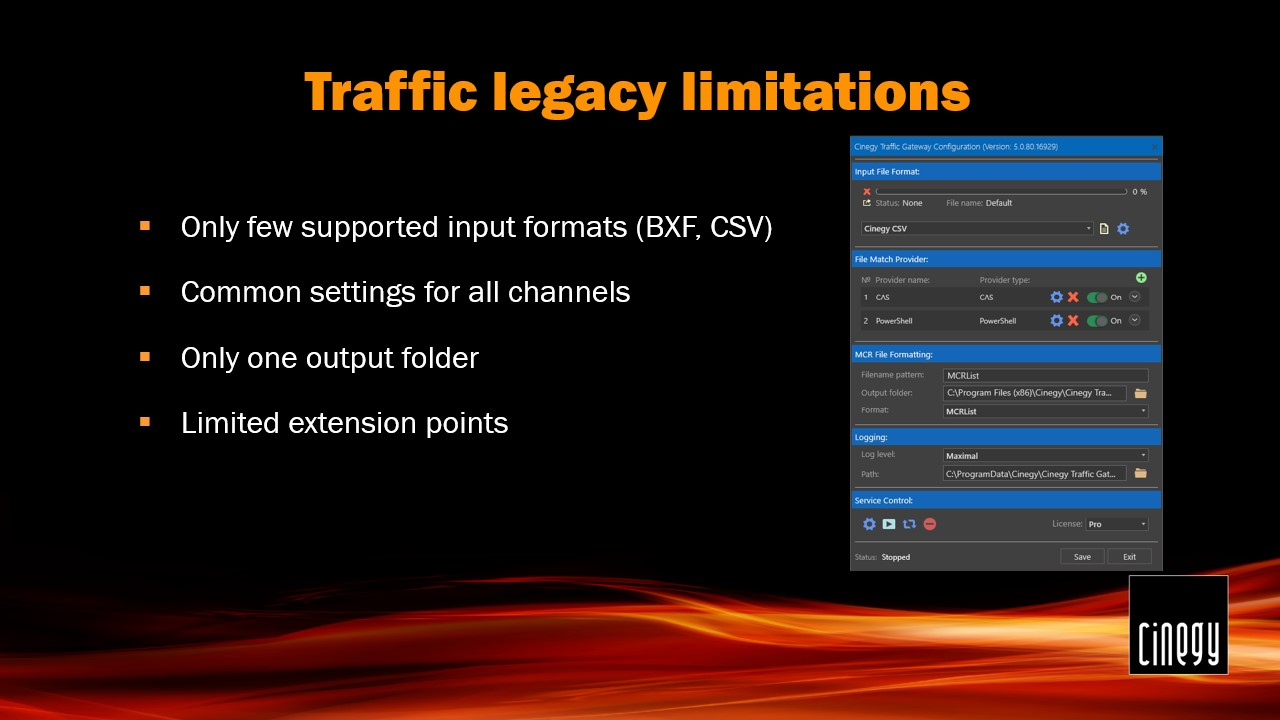
Despite the fact that Cinegy tried to support the most common industry BXF format, we had to polish and adapt the parser for each vendor due to small changes in implementation and workflow. The other option was a simple, universal Cinegy CSV input format that is widely used, though requiring translation from the customer format.
In most cases, customers control several channels at once, which requires different settings, content, and graphics.
The generated playlists are put in the same folder, which requires the post-processing actions.
Often, customers need some business rules and extra logic that must be incorporated into the playlist generation, which was not easy to do in the old fixed workflow. At the same time, the old Cinegy Traffic Gateway was simple enough to set up and maintain.
New Generation
Therefore, we have built a more flexible, extendable, but still simple brand-new Cinegy Traffic Gateway.
It runs natively on Windows, Linux, and also fully supports containerization, e.g., with Docker.
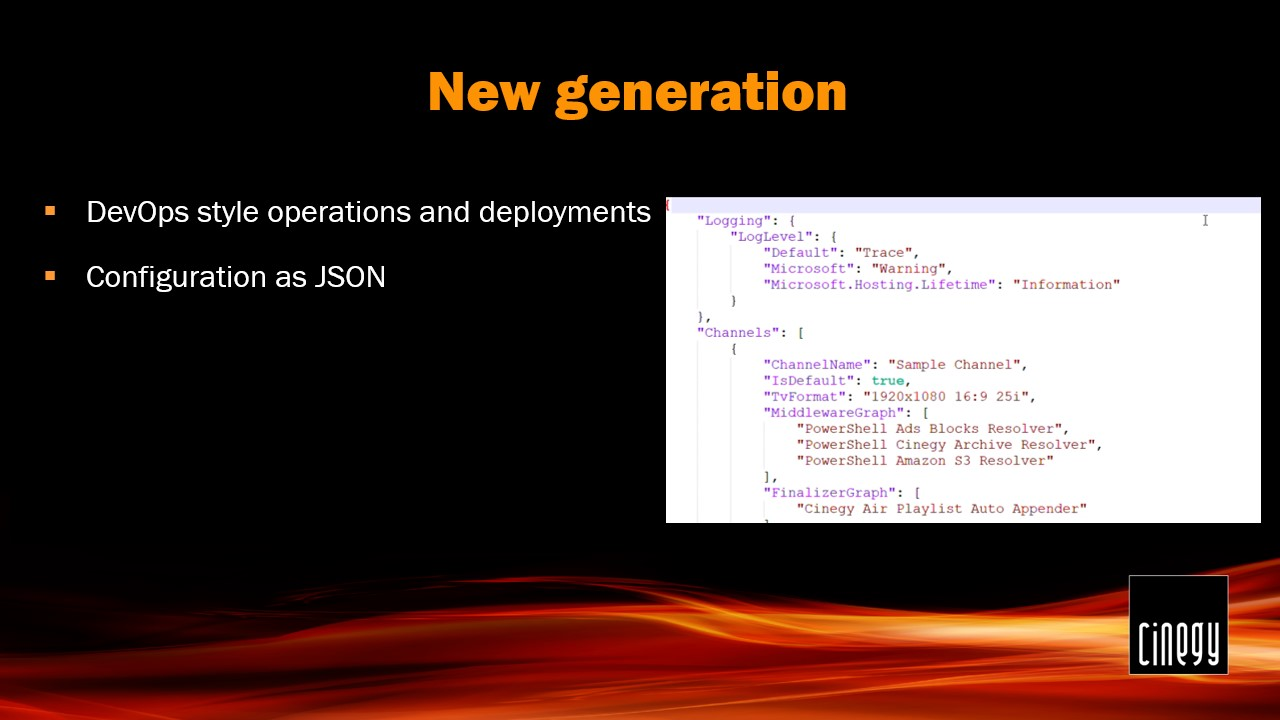
The configuration file is stored in a JSON format for ease of use and automatic modifications. The same configuration file can be accessed via REST API:
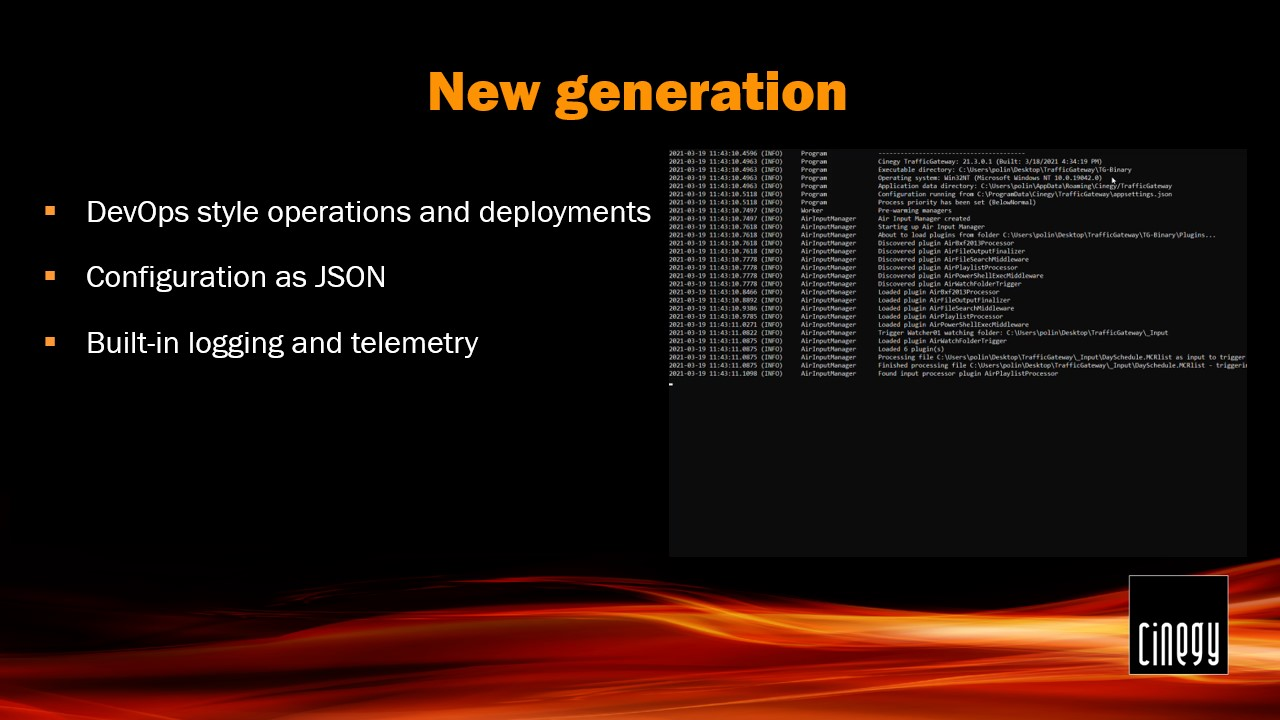
Cinegy Traffic Gateway has built-in machine-readable logging and telemetry enabled on all stages of processing, leaving no "dark places to hide". Categories and message priorities allow easy filtering and automatic processing of the generated logs.
Cinegy Traffic Gateway can run in fully automated mode, being triggered by watch folders, and store generated playlists in the specified folders. It can also trigger playlist processing in response to the REST API call. The information about the corresponding task status can also be requested via the REST API.
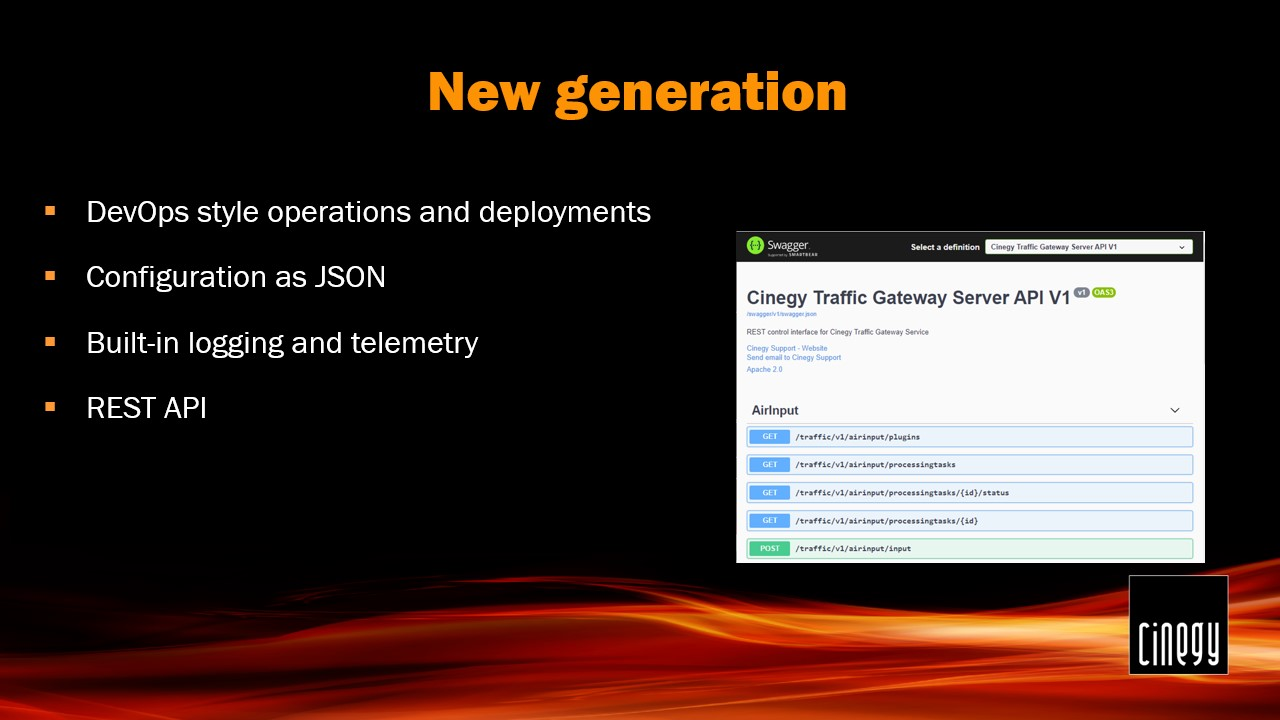
Cinegy Traffic Gateway was re-architected to expose its functionality as re-usable modules, which simplifies custom business logic implementation, where it is required.
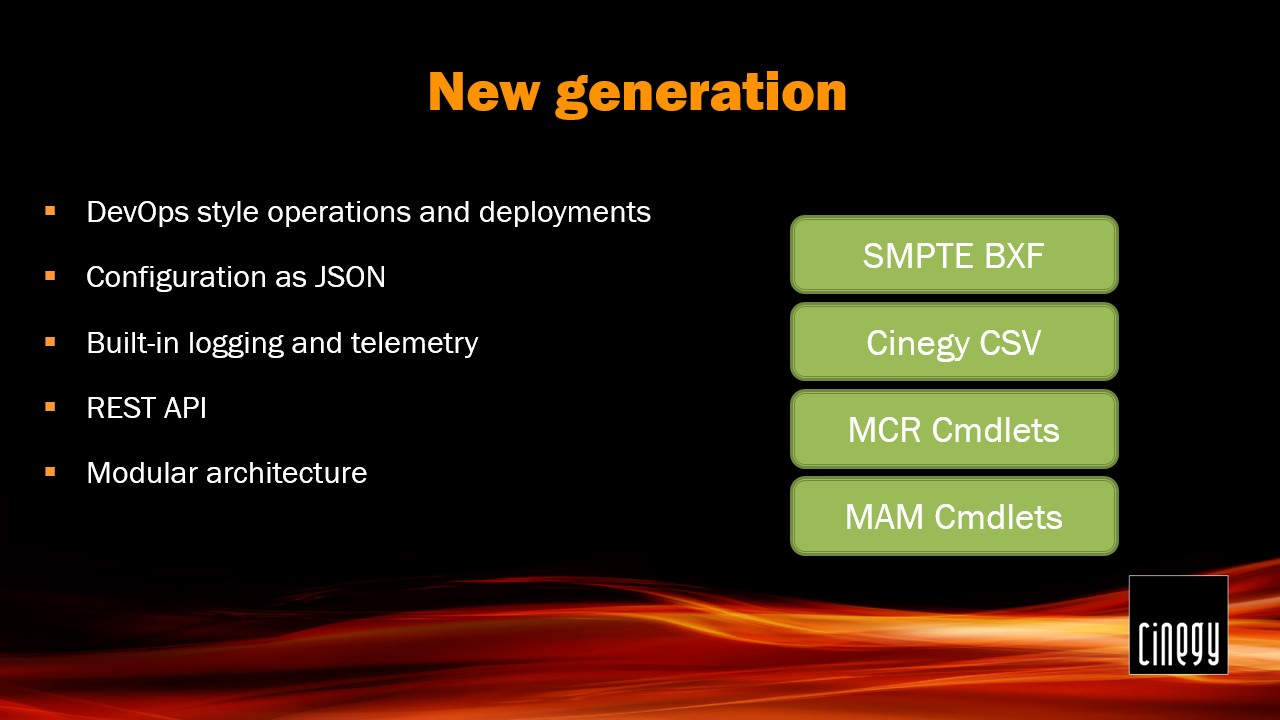
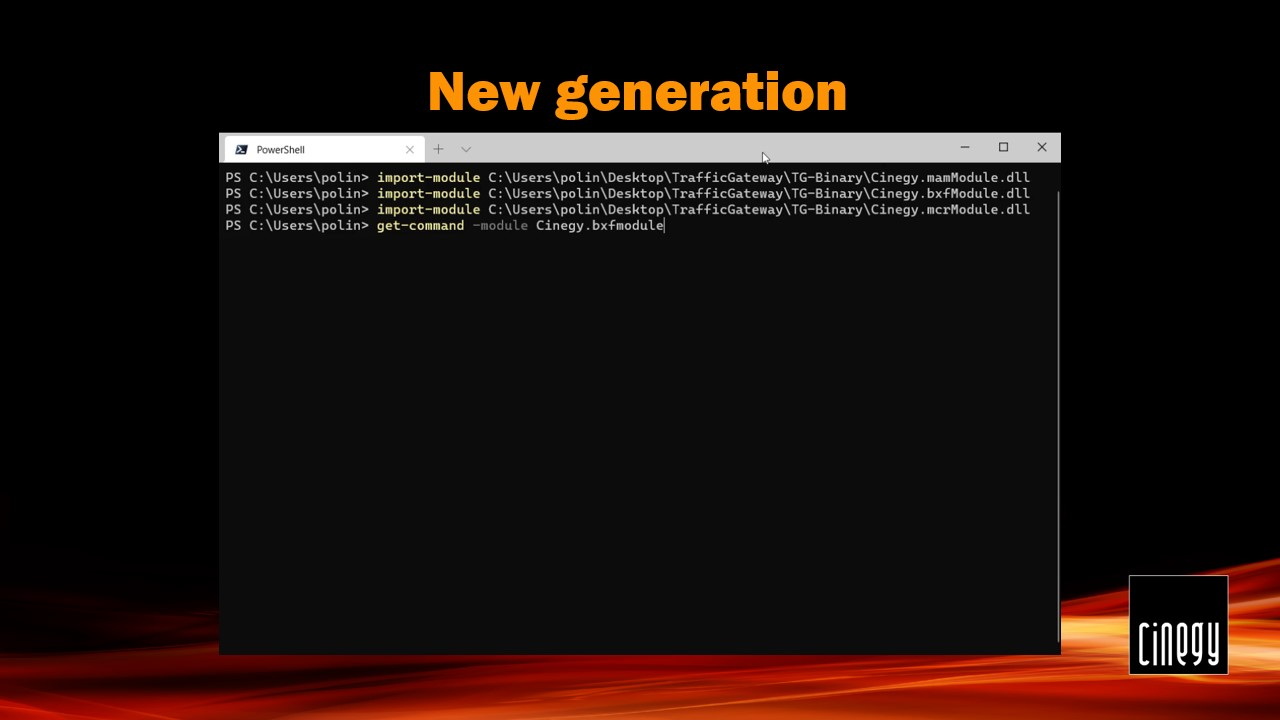
For example, SMPTE BXF, Cinegy Media Asset Management, and Cinegy MCR modules provide a list of helpful commands to manipulate corresponding business entities. Commands for creating a new playlist and filling it with Programs, Blocks, and Items make PowerShell business logic scripts creation an easy and less error-prone task.
Last but not least, Cinegy Traffic Gateway natively supports multiple channels with different settings and workflows.
The number of stages of the playlist processing may be customized. Moreover, each stage may be enclosed by pre- and post-processing events. As a common format, the Cinegy Air playlist is used on all stages, which unifies the data transfer from start to finish.
Workflow Scheme
The general workflow can be triggered by sending a new task for processing via the REST API or via configured Watch folders. Cinegy Traffic Gateway supports multiple simultaneous task executions and provides reports over the queue status and currently active tasks via REST API. The final result of the task processing can also be obtained via the REST API or stored as a playlist in the specified folder.
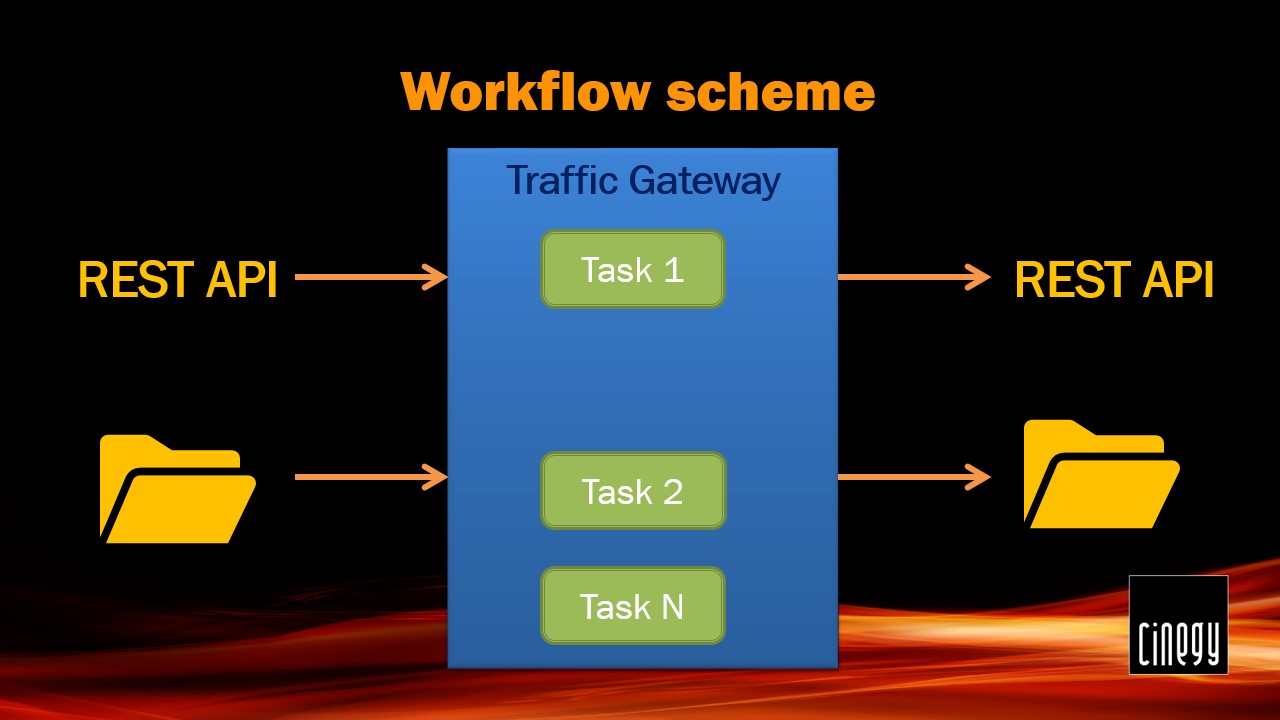
When the task is picked up from the queue, its processing starts from the input handler. It is responsible for the initial transformation of the input playlist format into Cinegy Air Playlist one, which is used as a native internal pipeline format. The input handler takes SMPTE BXF, Cinegy CSV, or other custom formats and performs the initial conversion. In case the playlist contains all the required information, the processing can end immediately.
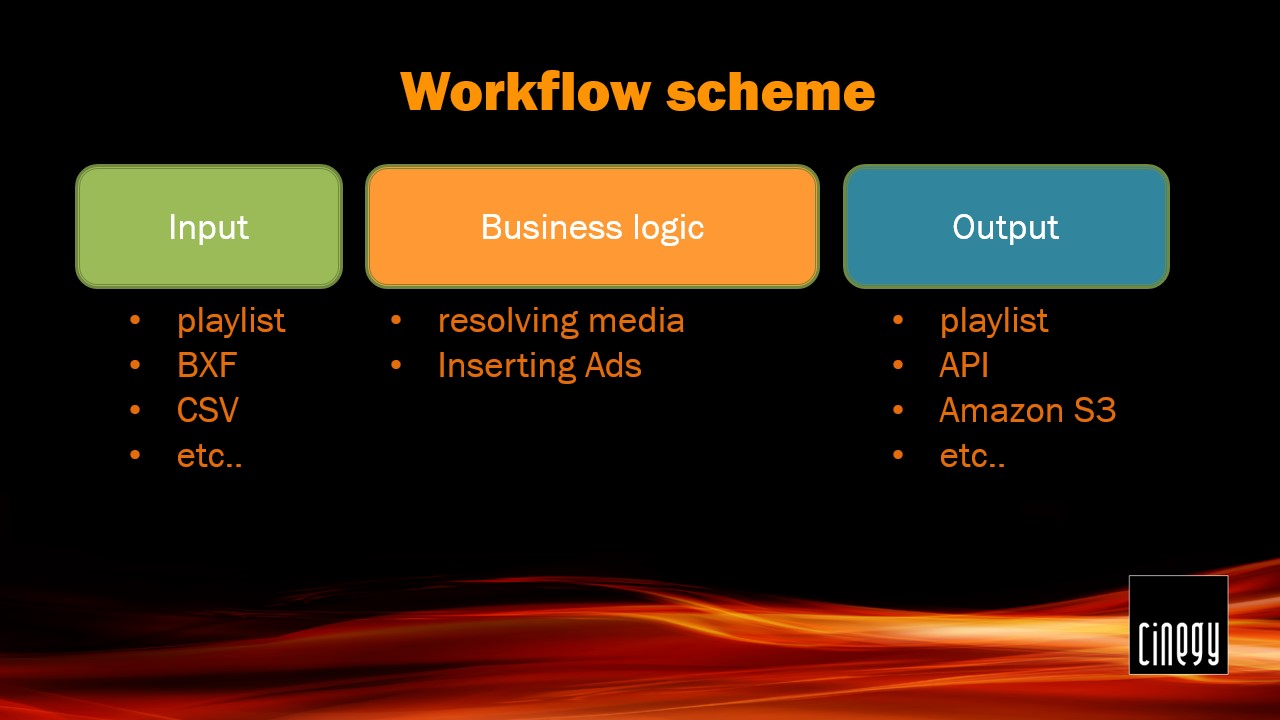
However, additional business logic is usually involved in order to fill in the commercial blocks with the paid Ads provided by the external system, for example, or to resolve the required media locations from different sources (Cinegy Archive, Amazon S3, local library, etc.).
The final step is storing the complete playlist on the network share or loading it directly into Cinegy Air via API.
Each processing step is independent of the others. The data is passed from one stage to the next one preserving the changes made. This allows for repeating the corresponding step in case of processing errors in future versions of Cinegy Traffic Gateway.
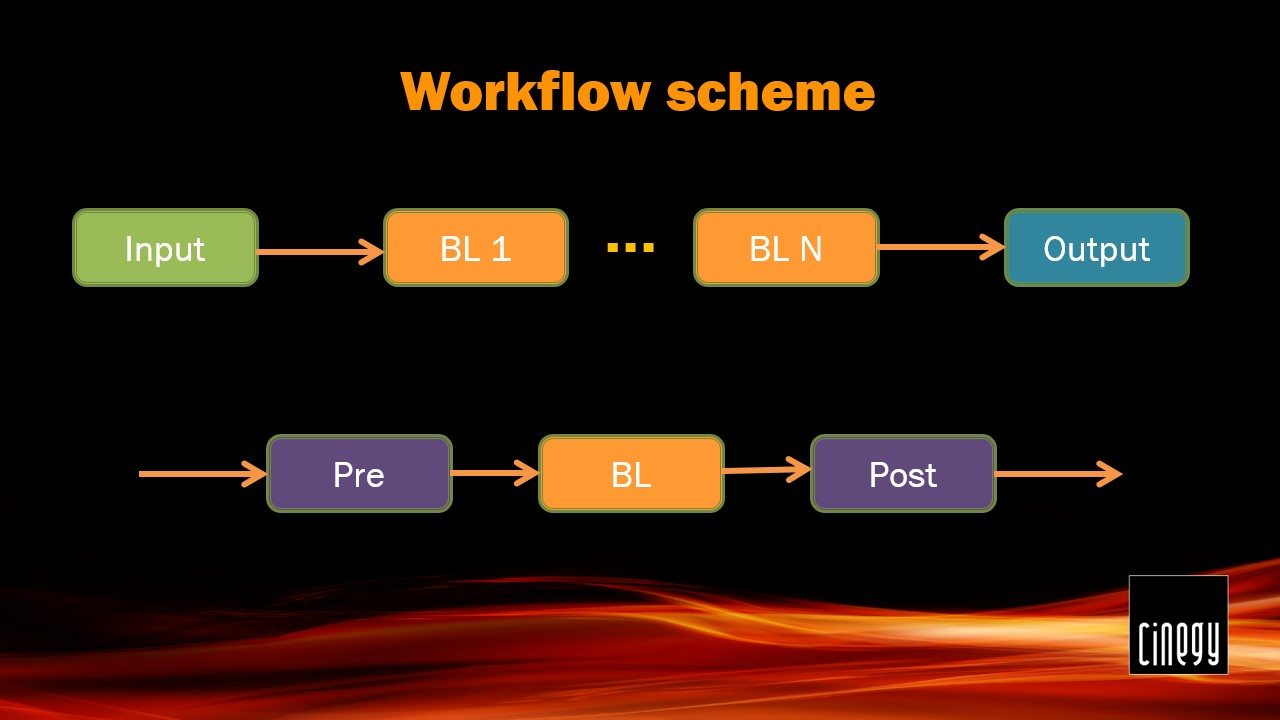
The processing pipeline is flexible and can include any number of processing steps. Every step also has an option to execute the PowerShell script before and after processing, allowing further extension and custom logic to be executed.
The final processing step usually stores the generated playlist into specified network shares. Alternatively, the processing result for the corresponding task can be retrieved via the Cinegy Traffic Gateway REST API.
Demo Workflow
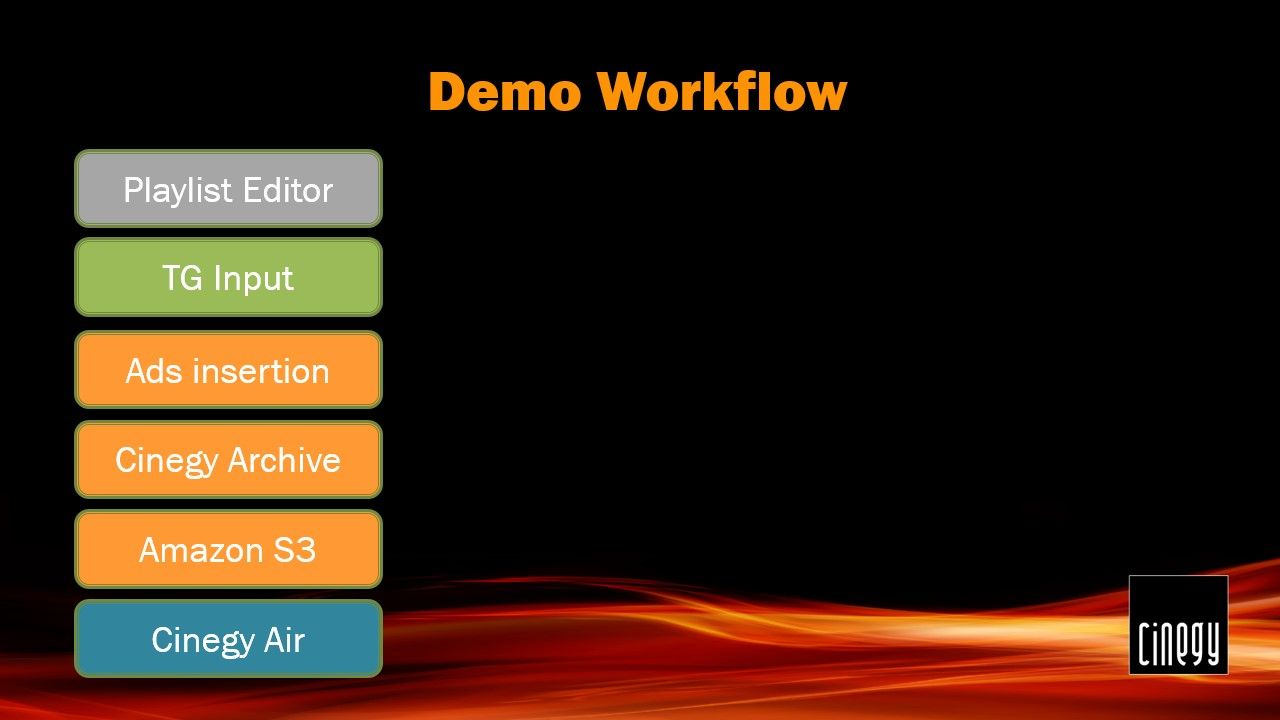
Here is the list of workflow steps to follow during our demo:
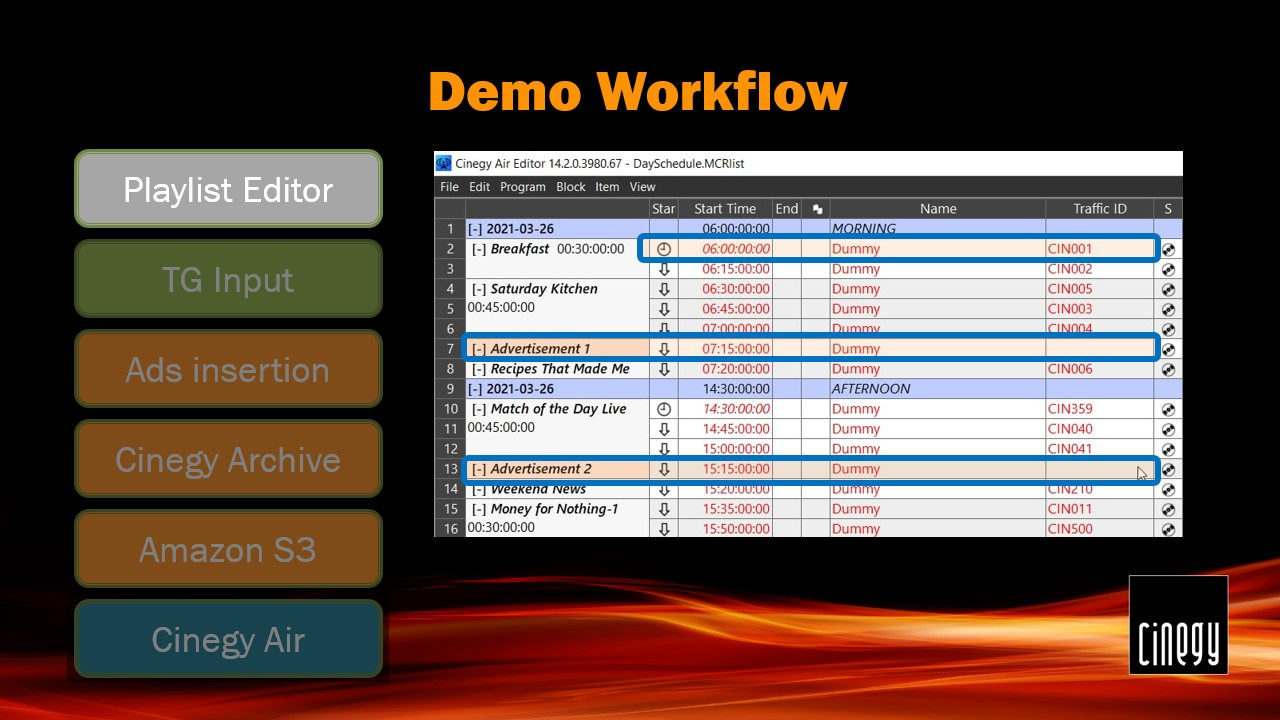
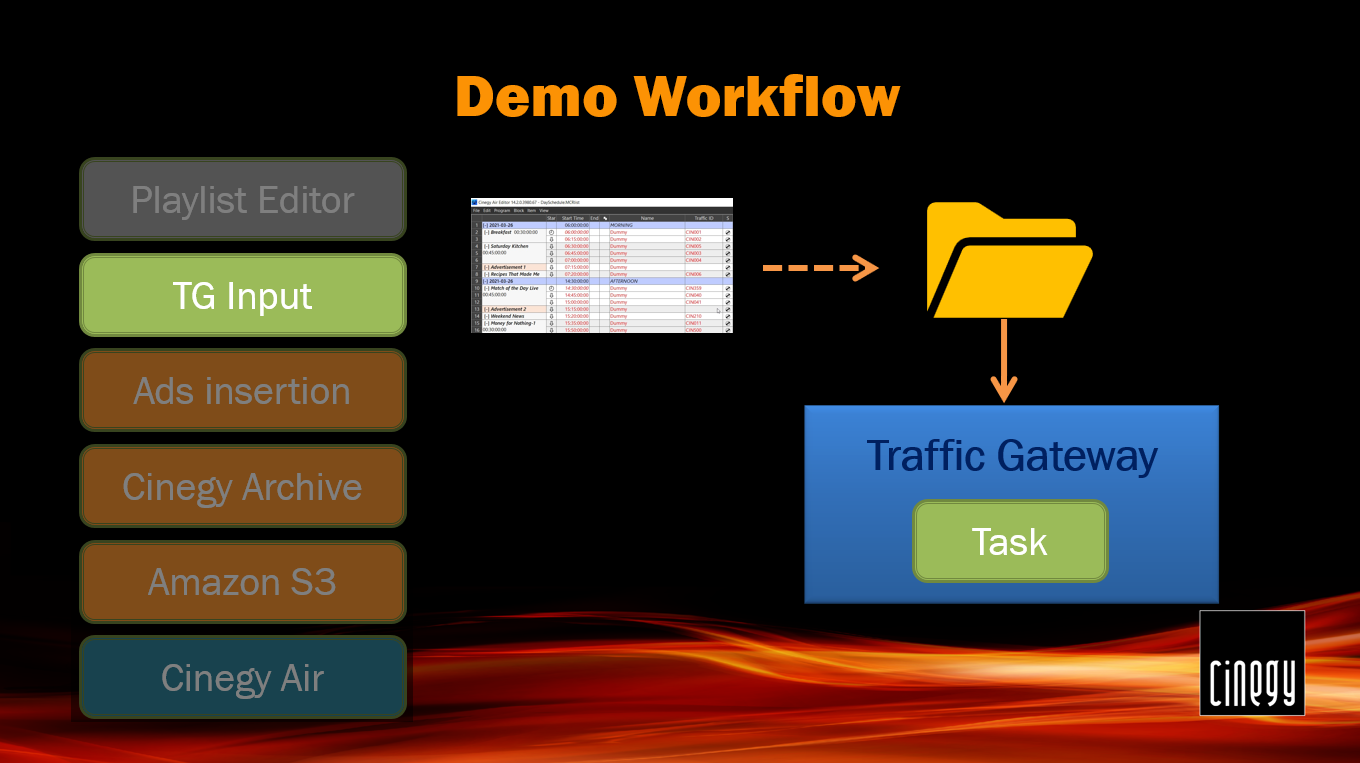
We start our demo by creating a playlist draft in Cinegy Air Playlist Editor. This is actually a playlist template consisting of programs that are divided into blocks, containing dummy items. Let’s assume we have created a basic playlist structure based on a planned events list for the next day. We know what programs are scheduled for the broadcast at specific times and the general program structure (logical blocks of the broadcast). So, we compose our playlist from the dummy items with the default duration, specify the exact start times for the specific items, and add empty ad blocks to the schedule – they are expected to be filled automatically at later stages.
Then the corresponding playlist will be stored in the folder monitored by Cinegy Traffic Gateway to start the processing. The Cinegy Traffic Gateway watch folder picks up a new file, checks the channel that this playlist belongs to, and puts a new task into the queue. Another option here could be adding a new task via the Traffic Gateway REST API by a third-party system.
According to the channel configuration, the first step is filling in the empty commercial blocks with actual advertisement clips. Usually, this requires the external business logic, for example, a REST Service that receives the commercial block ID, planned duration, and date/time of the planned playback. The service provides a list of actual advertisement clips that are inserted in corresponding blocks.
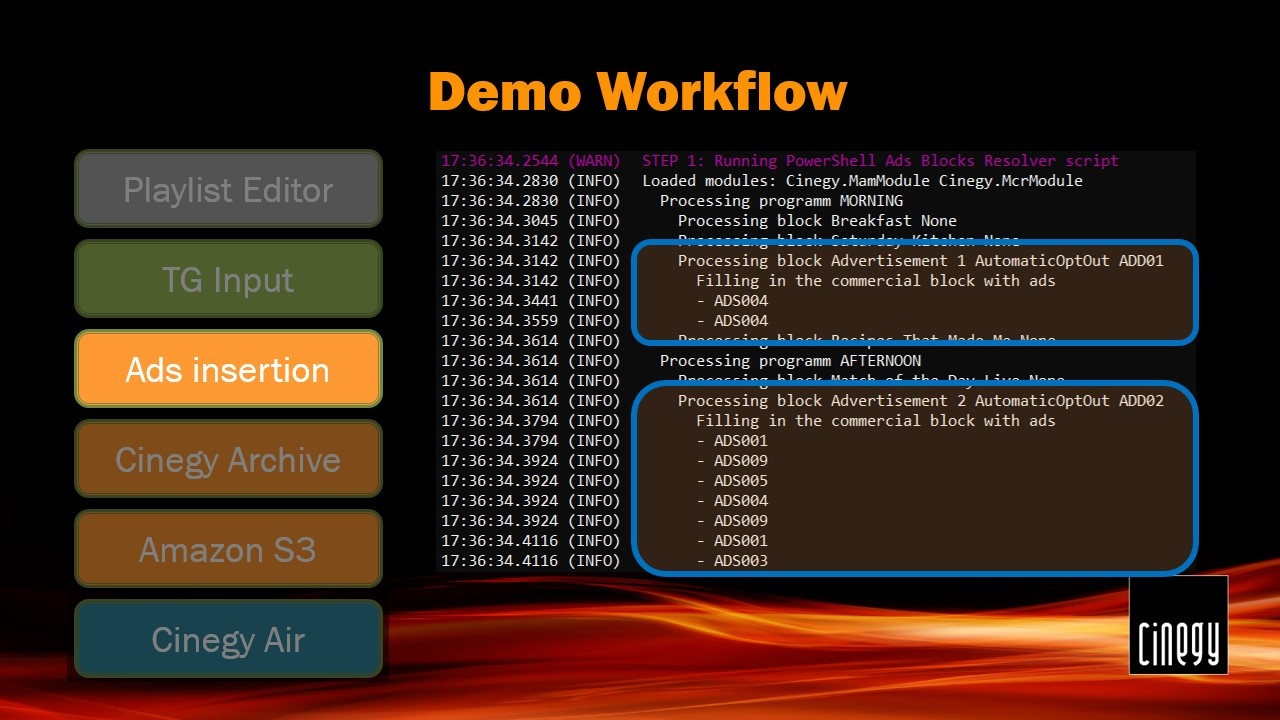
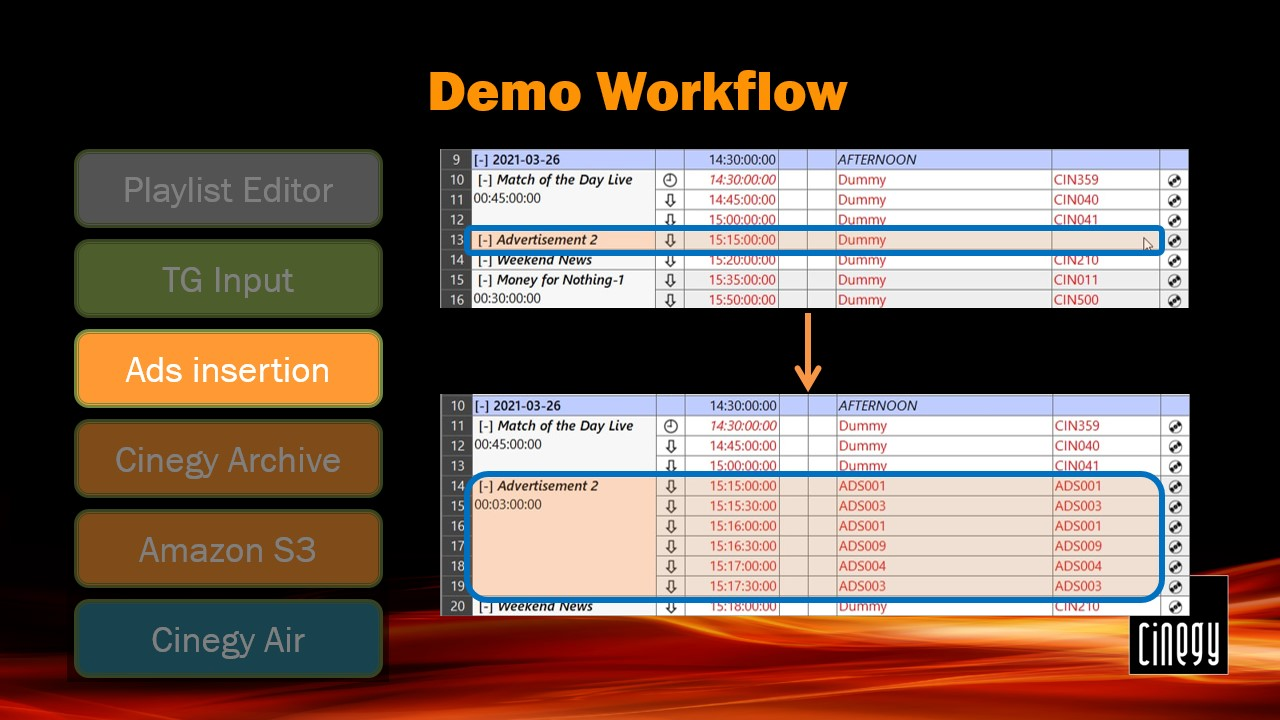
As a result of this step execution, the empty ad blocks are filled in with the IDs of the required items to be broadcast.
Now the playlist is prepared to be filled in by real media based on the specified material traffic IDs. The first configured provider is Cinegy Archive. For each item in the playlist, the Cinegy Archive database is scanned for the Traffic ID. When a corresponding clip or a Sequence is found, its metadata is inserted into the playlist, replacing the dummy item with real media items, including updated item duration.
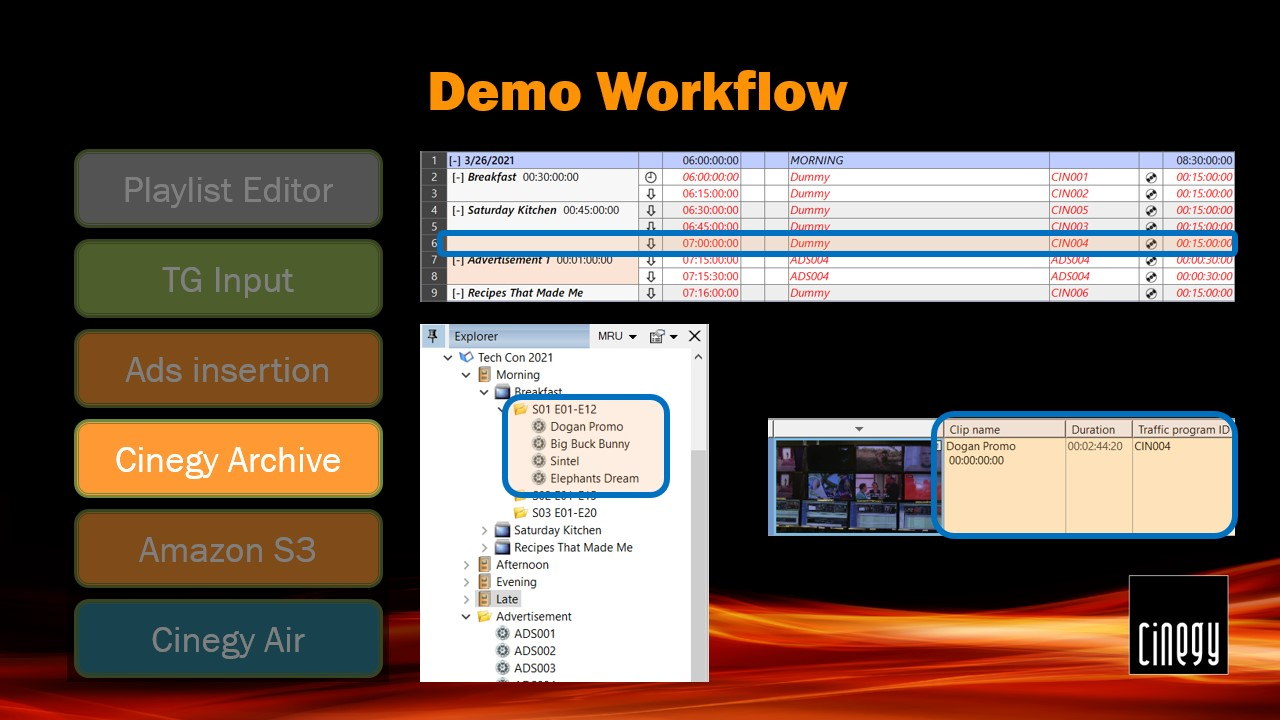
The process is repeated for each dummy item in the playlist.
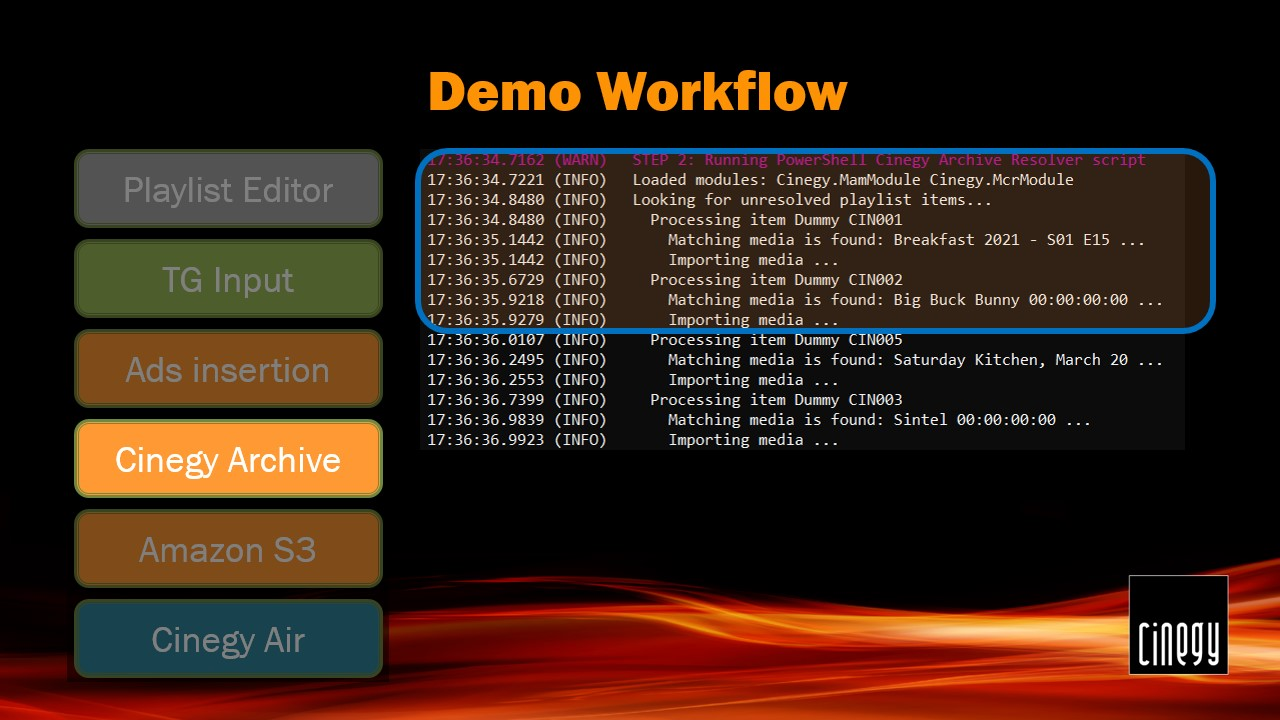
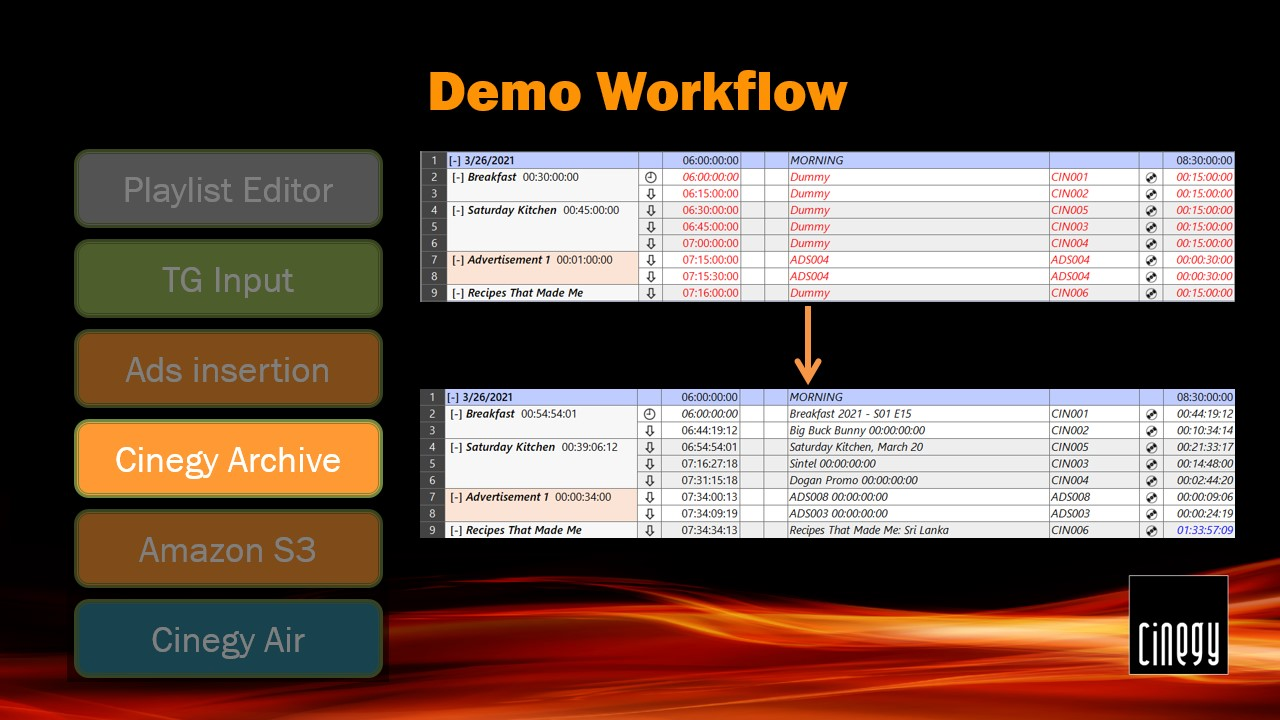
Now the playlist is prepared and filled in with references to the real media items in Cinegy Archive. Dummy items have been replaced with the actual metadata.
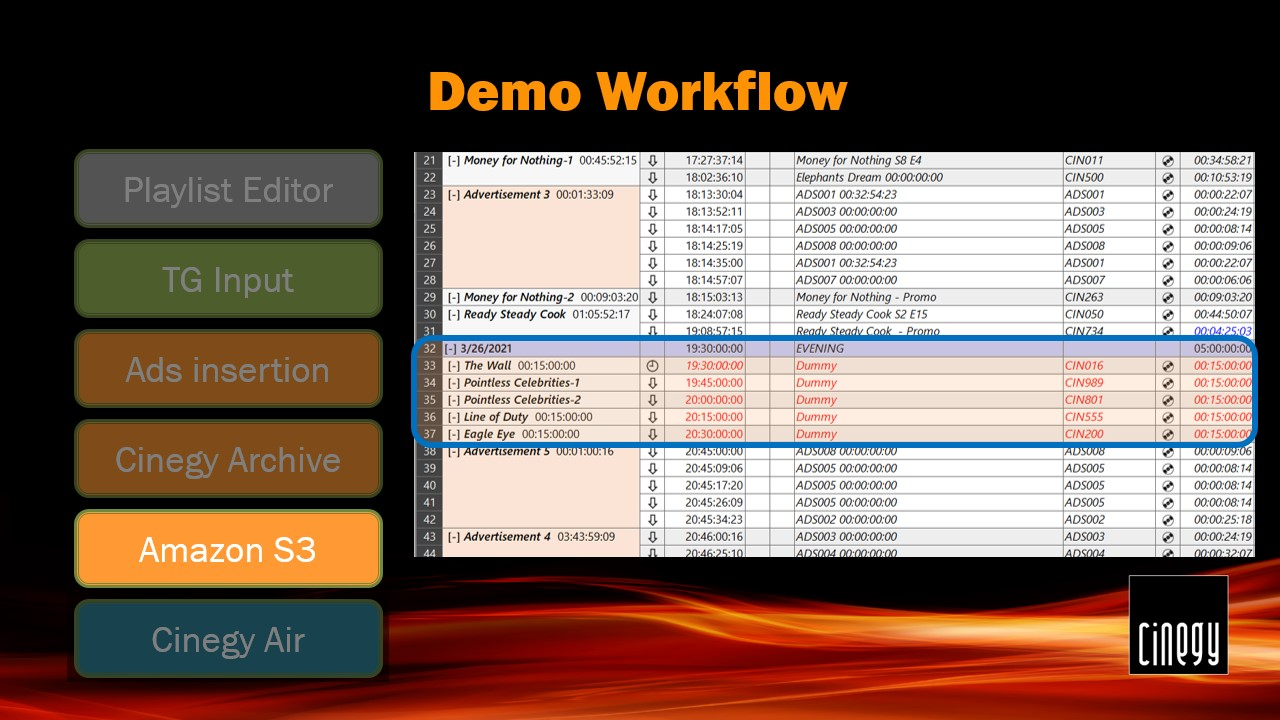
For the purpose of the demo, we have intentionally left several items in the playlist unresolved by Cinegy Archive. These items will be resolved from media stored in dedicated Amazon S3 buckets.
We have prepared three Amazon S3 buckets with additional media that will be used in the playlist. The missing media items are replaced with links to the object storage, and the playlist is ready to be generated.
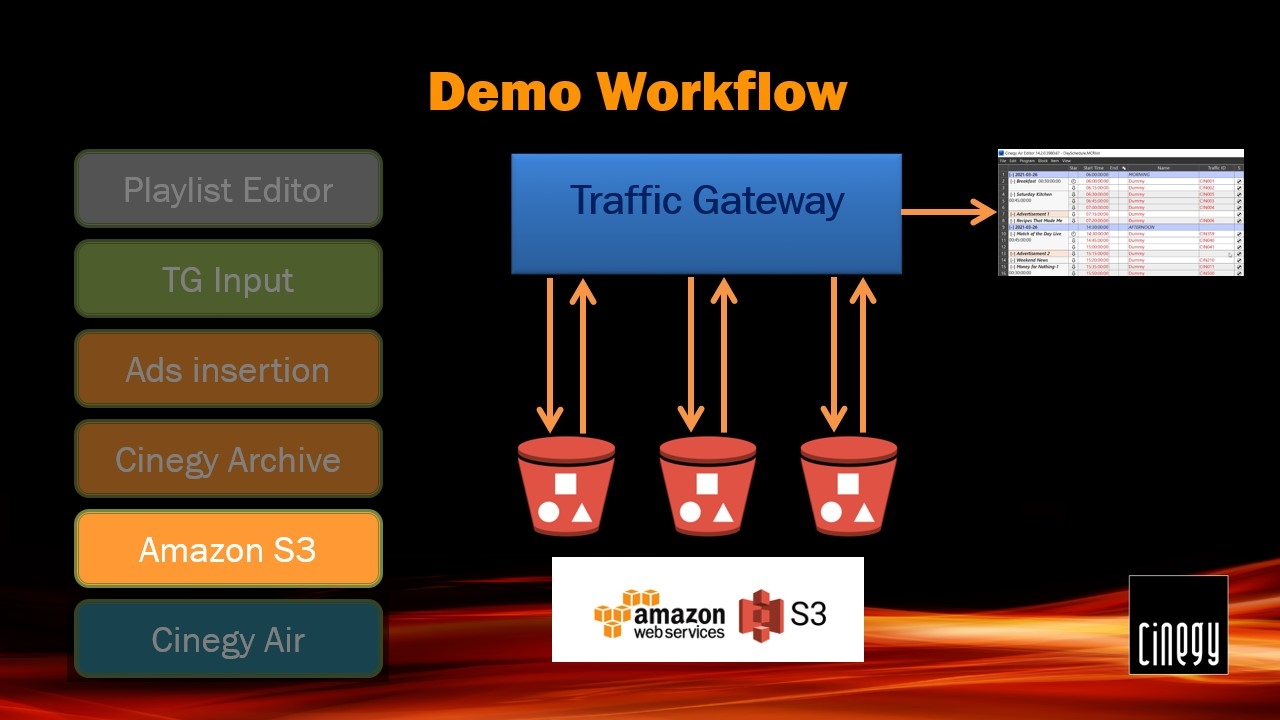
Each of the three pre-configured Amazon S3 buckets is scanned for the media. The process continues until the media is resolved or no more media sources are left.
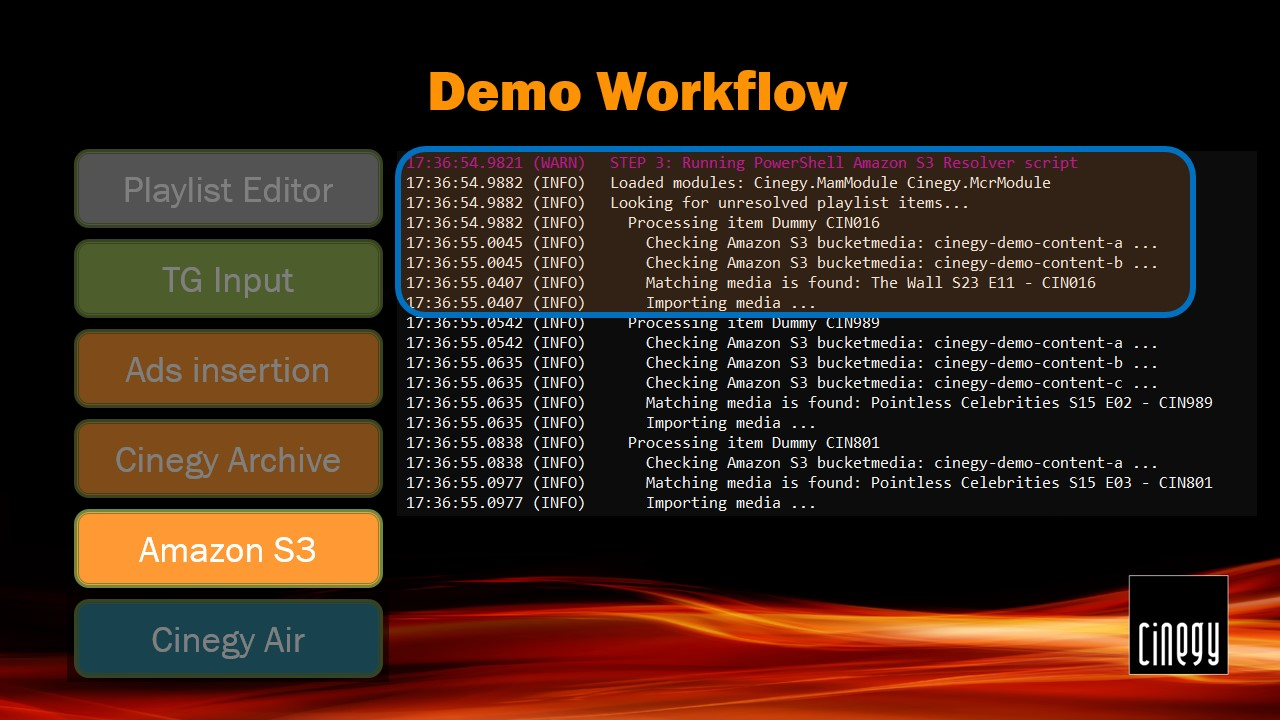
When the playlist is ready and filled in with the links to the real media, it is stored in the other watch folder monitored by the Cinegy Air control application.
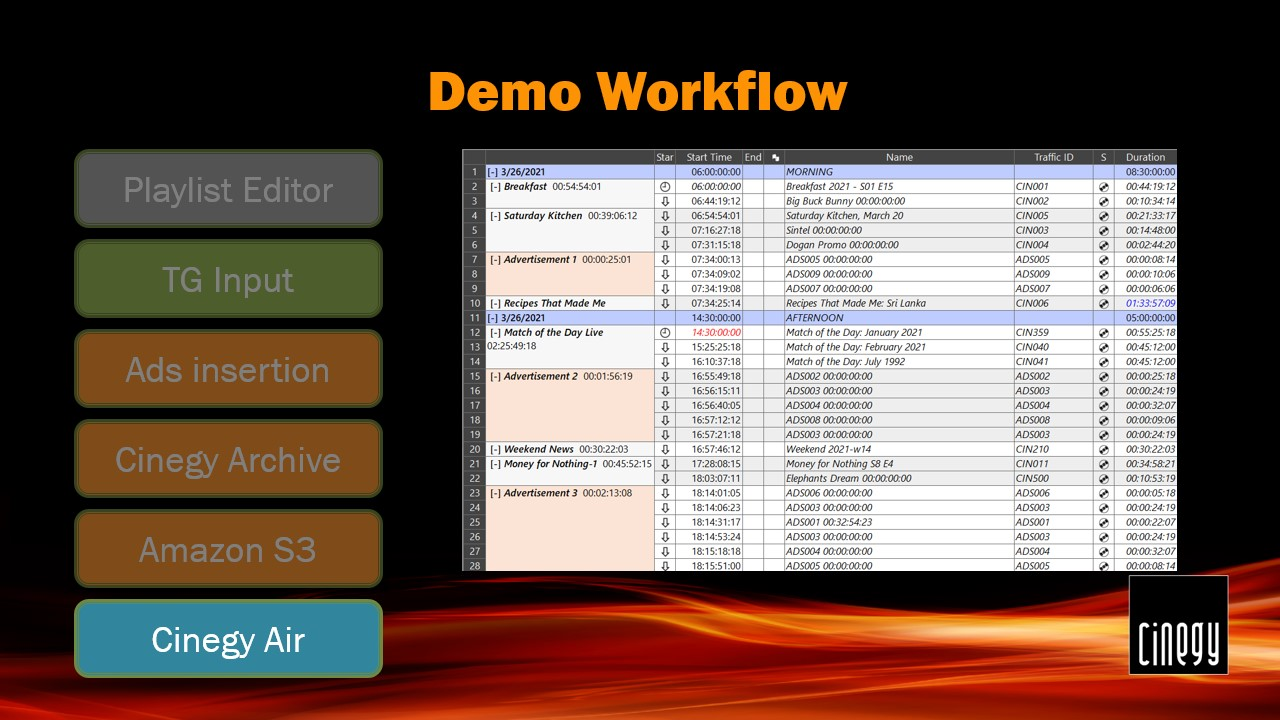
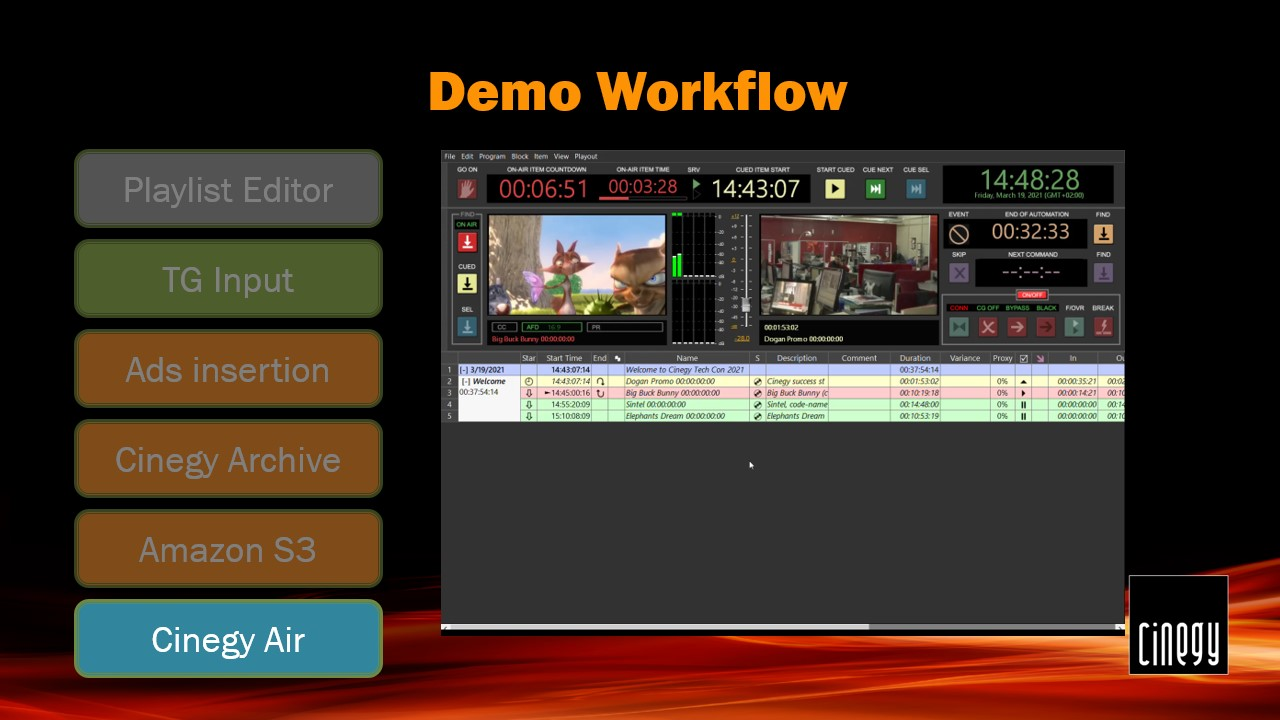
Once the Cinegy Air control application detects the new playlist availability and verifies its validity, it is automatically appended to the active playlist.
Integration with the 3rd Party
While Traffic Gateway can handle most of the common requirements, in some cases integration with the 3rd party systems is required – when the workflow becomes complex and involves other services, the probability of unexpected execution results and delays increases greatly.
In such a case, for example, for enterprise-level orchestration and workflow control, Apache Airflow can be used. It comes with a lot of handy features like graphical UI that helps to understand the workflow execution history, advanced logging to trace every single detail of the process, automatic step repetition and failure control, and many more.
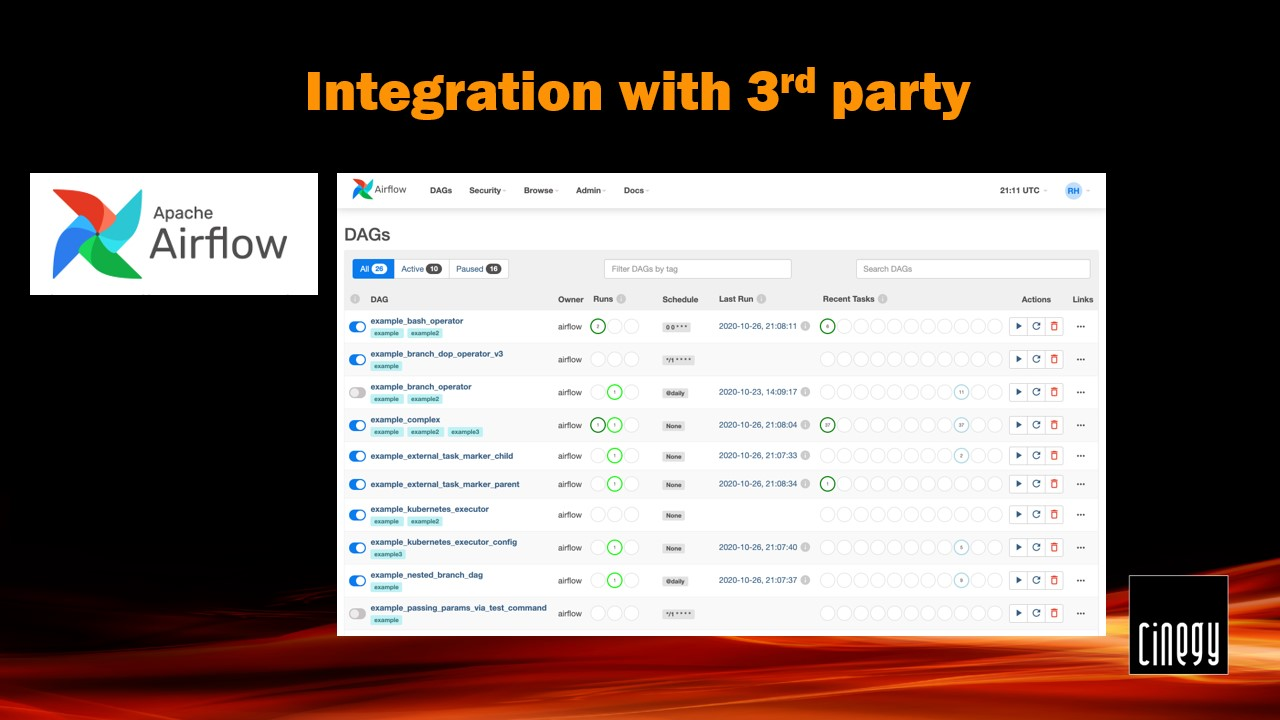
Apache Airflow also gives you more control over the workflow graph, where you can build simple, advanced, and even sophisticated graphs (hopefully, you will never need something like this in your regular broadcast production).
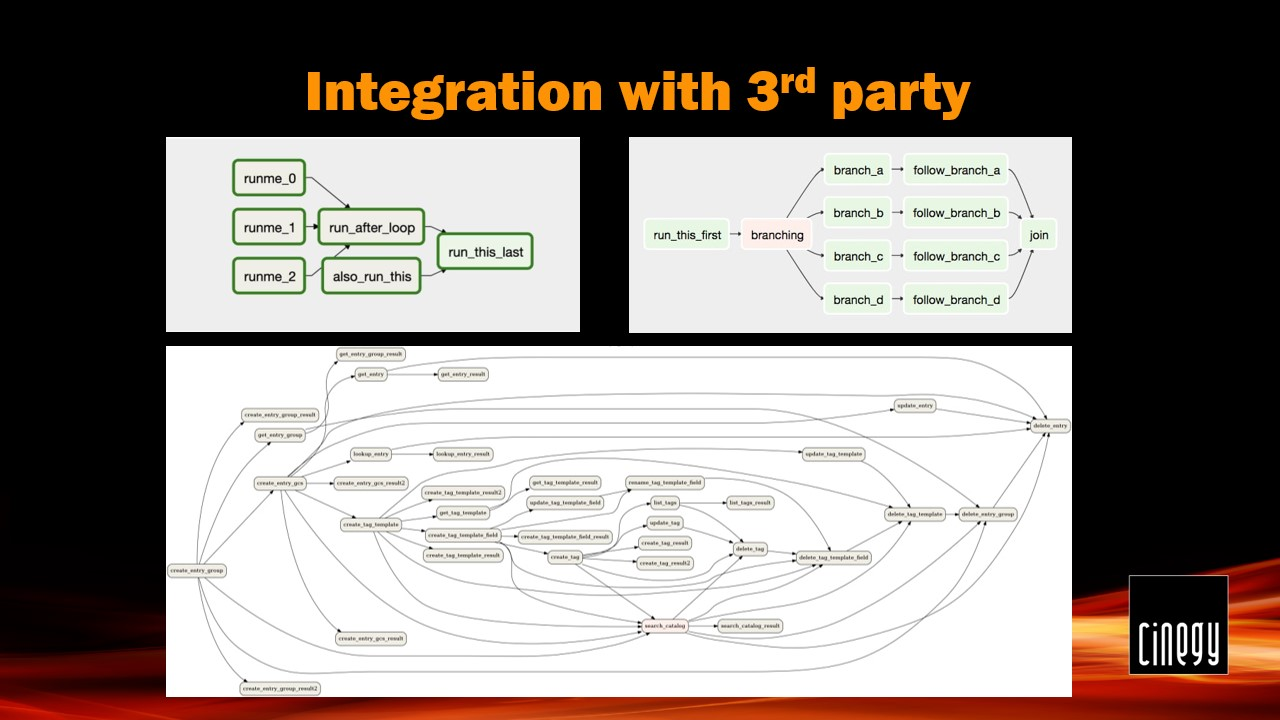
When systems like Apache Airflow are in use, existing Cinegy Traffic Gateway modules can be integrated into the corresponding 3rd party system with minimal adaptations required.
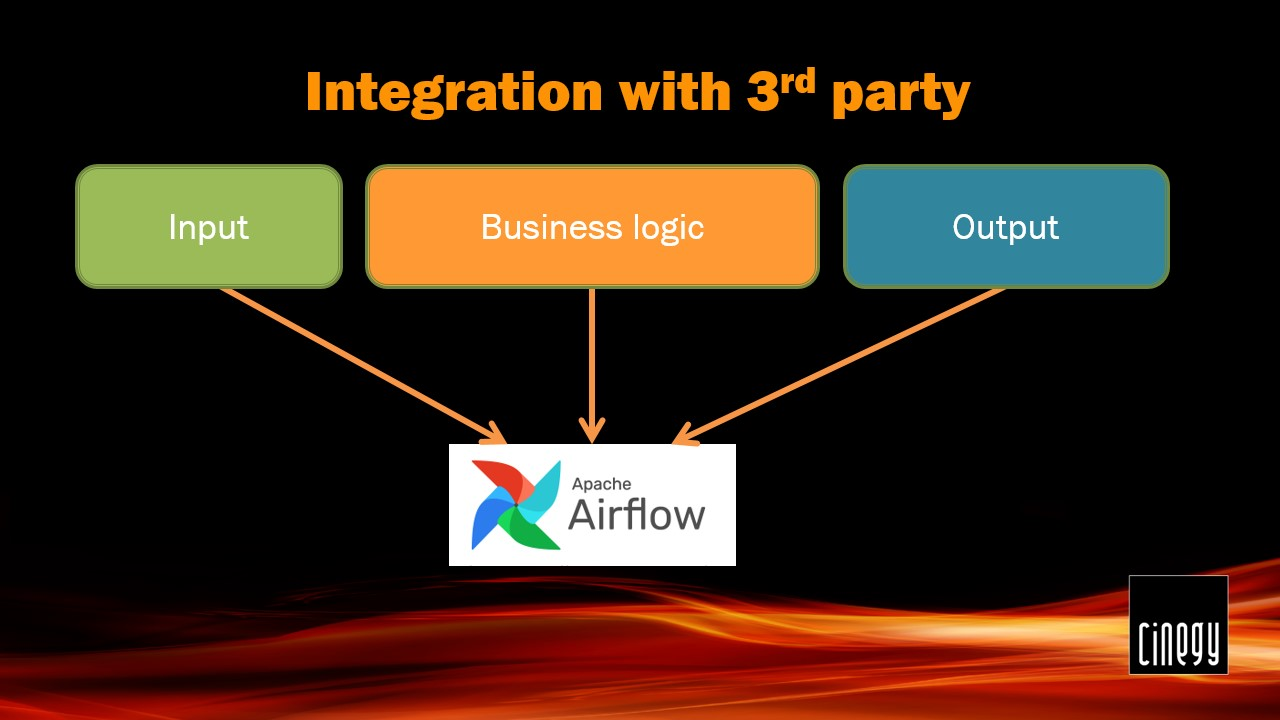
Our wonderful Cinegy Professional Services team is always ready to help with installing and running it.
So, what may help you decide which approach to take – standalone Cinegy Traffic Gateway or enterprise orchestration system with Cinegy Traffic Gateway modules?
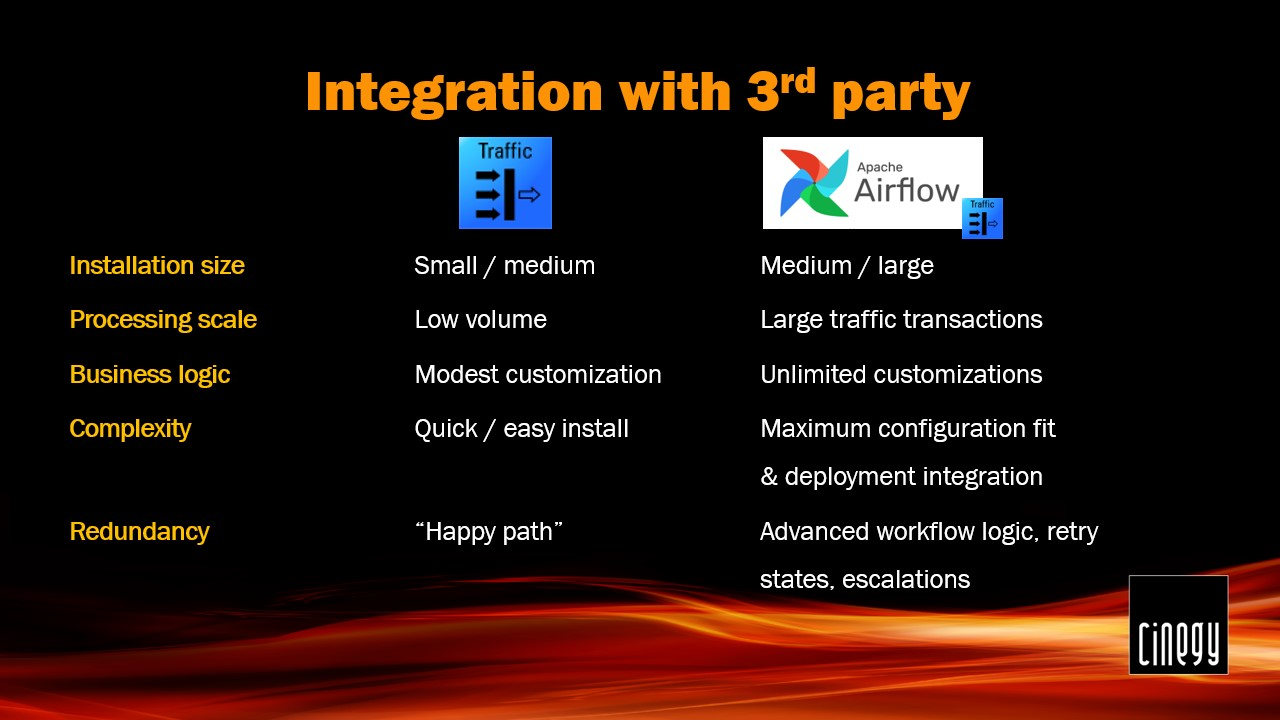
As an approximation, you can consider assessing the following requirements:
Installation size – Cinegy Traffic Gateway is the most suitable for small and medium-sized installations. When the number of broadcast channels grows, there is a limit when an operator can conveniently control and maintain within a simple system. Apache Airflow can help you keep a large number of channels under your control without enormous effort.
Processing scale – consider the number of playlist processing transactions during working hours. More tasks to be completed – more chances that something goes wrong and will require operator assistance.
Business logic – in case your workflow involves several 3rd party systems and complex decision-making during the playlist creation, it’s worth considering the Apache Airflow path to keep an eye on all processing steps on the go.
Complexity – define your goals. Either you are under time pressure and should be running ASAP, or you are ready to spend some of your precious time planning and implementing a large system with custom integrations that should work flawlessly under heavy load.
Redundancy – Cinegy Traffic Gateway will happily get you through most of the workflows and some basic failures. Although in case you expect the system to self-diagnose and self-healing when possible, consider designing your system with the help of our Professional Services team and Apache Airflow as a background.
Now you have enough information to plan your next steps with Cinegy products and specifically Cinegy Traffic Gateway for your next small and large-scale projects. In case of any doubt, please feel free to contact our Professional Services team to help you reach your valuable goals most efficiently.