Working with Placeholders
Reading time ~2 minutes
Cinegy Desktop can produce special item types - placeholder MOGs - that are used as a temporary substitution for the material that has not been ingested yet. Their clips can be inserted in the Cinegy Air playlist.
|
Note
|
For this workflow to work, Cinegy Desktop should be installed on the computer where the Cinegy Air control application is running and the corresponding Cinegy Archive database should be selected. |
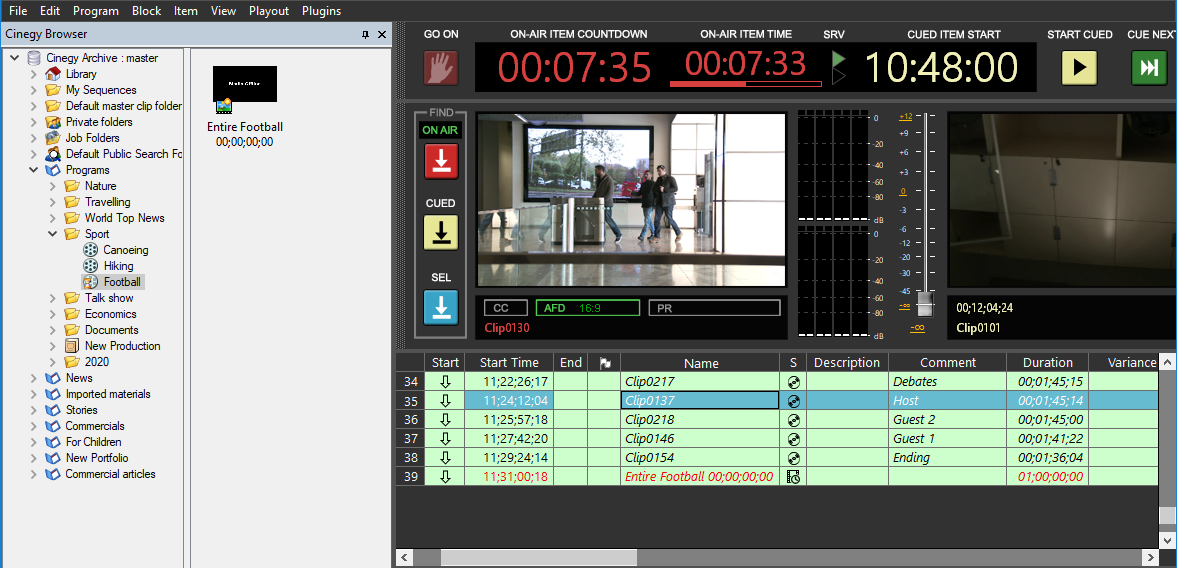
The placeholder clip can be dragged and dropped to the playlist via Cinegy Browser:
|
Important
|
Refer to the Placeholder MOGs article for more information on working with placeholders within Cinegy Desktop. |
|
Tip
|
Cinegy Capture and Cinegy Convert can be used to automate the process of filling the placeholders. |
Placeholders Indication
In the playlist, a placeholder item is highlighted in red for visibility. It is also marked with the  icon in the "Status" field. After the media has been ingested in the placeholder, it is updated in the playlist and becomes a regular item; the icon in the "Status" field remains the same, indicating that it used to be a placeholder item.
If an empty placeholder is scheduled to be broadcast less than 6 hours from the current time, the channel status indicator will be blinking yellow. Also, such a placeholder item will be marked with an  icon in the
  column.
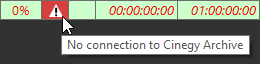
If the connection to the Cinegy Archive database is lost or the placeholder node cannot be found in the database, the  icon is displayed in the column for this placeholder item in the playlist. Hover over this icon to see the exact problem description:
Using Blank Sequences in Playlists
Blank Sequences created in Cinegy Desktop that contain markers defining their estimated duration can be inserted into the Cinegy Air playlist.
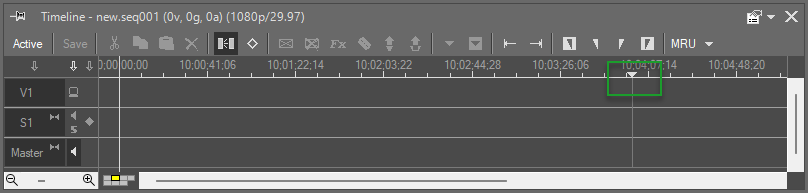
When such a Sequence is inserted into the Cinegy Air playlist, its font appears in red in the playlist table and on the timeline, and it is marked with the  status icon until it is filled with media.

If the Sequence is modified in Cinegy Desktop, the corresponding item in the playlist is highlighted in blue in both the playlist table and the timeline, indicating that it can be updated.