Cinegy Title Items
Reading time ~2 minutes
Cinegy Title templates previously created via Cinegy Title Editor can be inserted into the Cinegy Air playlist as a primary event.
|
Important
|
Refer to the Cinegy Title manual to learn more about creating and working with Cinegy Title templates. |
You can use Cinegy Browser, File Browser, or file manager to navigate to the Cinegy Title template file(s). Drag and drop the template to the desired position in the playlist; the "CG Browser" window will be opened:
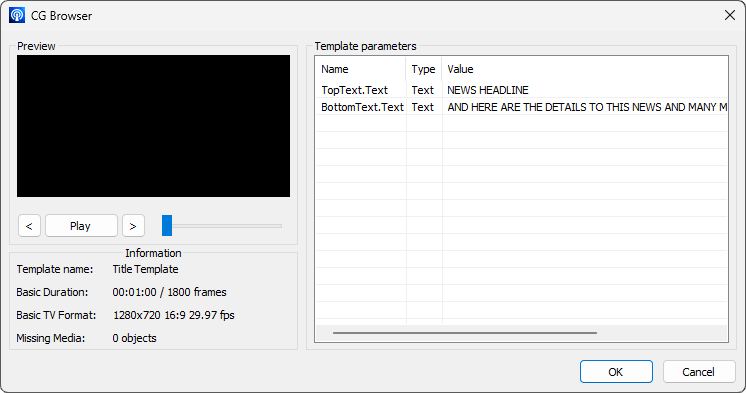
Here you can preview the template and define the values of the variables if necessary.
|
Caution
|
The template variables can only be edited at this stage. Having inserted the template into the playlist, the values of the variables cannot be changed. |
Press "OK" to add the template to the playlist. It will be added as a regular playlist item:

If a Cinegy Title template has an infinite loop defined as its duration, the template will be inserted into the playlist with the default duration defined by the "Default Still duration" parameter in the preferences. After insertion into the playlist, the duration of such item can be increased up to 3 hours.
|
Important
|
Cinegy Title templates can also be added as secondary events for playlist items. Refer to this paragraph to learn about adding Cinegy Title templates as secondary events. |