Shortcuts
Reading time ~1 minutes
Shortcuts remain operational even when the Cinegy CG window is minimized, provided that the "Enable global hotkeys" option is selected on the "General" settings tab.
Assigning shortcuts is available only for graphics layers enabled via the Cinegy CG "Settings" dialog.
|
Press the "Shortcuts setup" button to set up shortcuts for convenient and fast work with layers. |

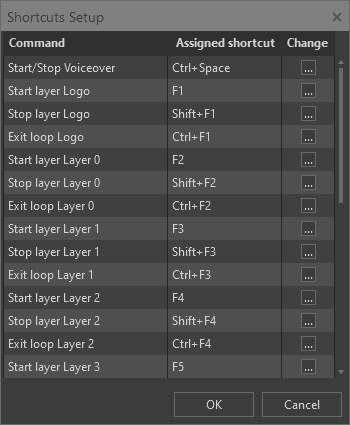
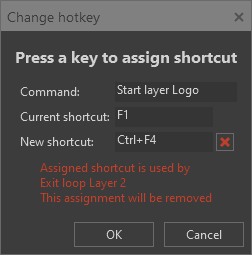
To change the shortcut defined by default, press the corresponding button in the "Change" column. The "Change hotkey" window will appear:
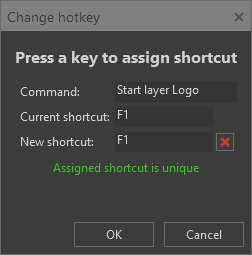
To delete this shortcut, press the  button. To assign a different shortcut, hit the corresponding key or key combination; it will appear in the "New shortcut" field. Press the "OK" button to save the new shortcut. If this new shortcut is already used by another command, the corresponding message will be displayed: