Installation
Reading time ~1 minutes
|
Caution
|
Please note that this is a beta version of a brand-new application and is still undergoing active development and frequent updates. |
Cinegy Title Studio is a part of the Cinegy Air package. To start its installation, run the Setup.exe file from the Cinegy Title Studio directory of your Cinegy Air installation package. The setup wizard will be started:
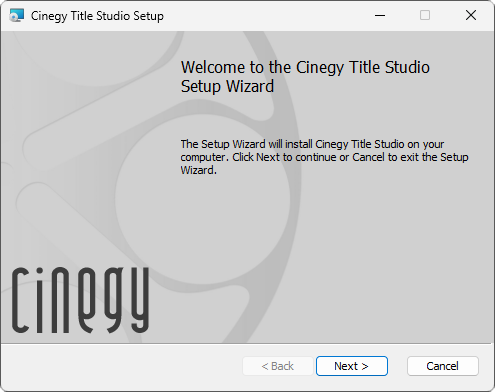
Press "Next" to proceed with the installation or "Cancel" to abort and exit the setup wizard.
Read and accept the license agreement.
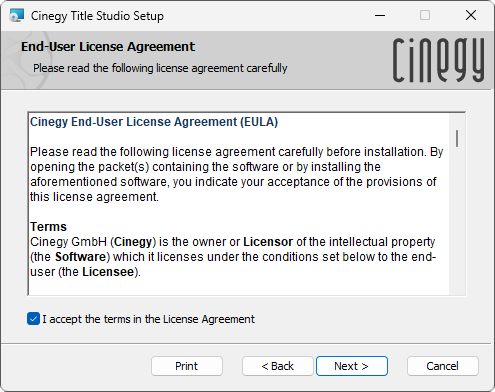
Press "Next" to proceed. The following dialog appears:
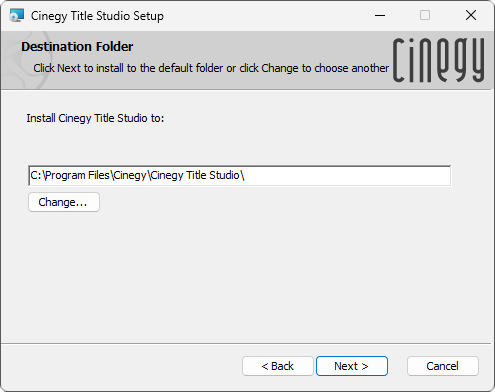
Press the "Change" button to change the installation folder for Cinegy Studio, if needed.
Press "Next".
In the next dialog, press the "Install" button to begin the installation. The progress bar will show the progress of the installation process.
To complete the installation, press "Finish". The Cinegy Title Studio application will be installed on your machine.